Reactive Image Transitions for Ren'Py
A downloadable asset pack
Overview
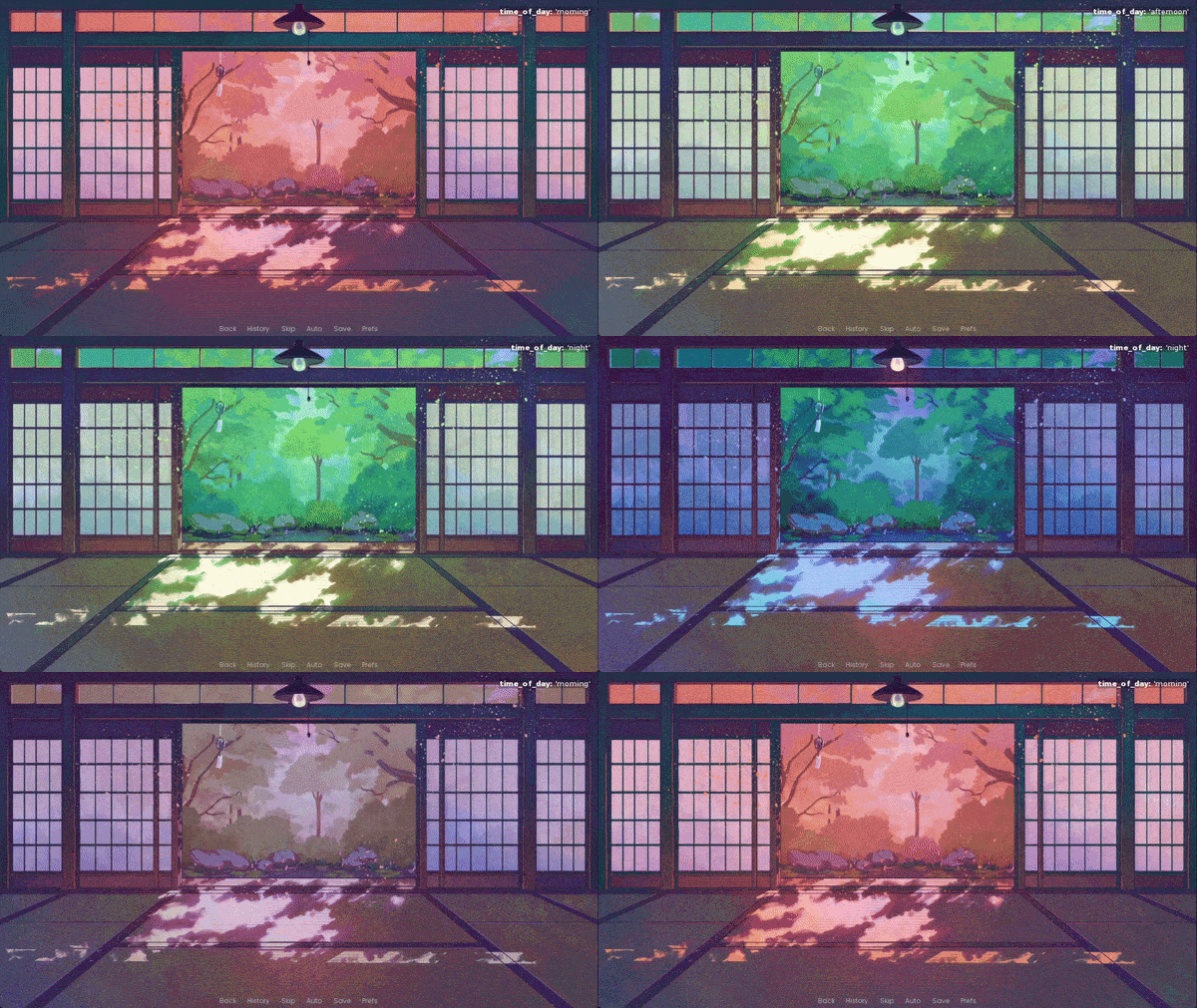
Have you ever wanted to change or show an image in response to a variable changing, but also not have it "pop" into existence the moment it happens? Perhaps you'd like a slow dissolve between automatic time-of-day backgrounds, or a transition when swapping out character creator parts. The special TransitionSwitch displayable works like the built-in ConditionSwitch, but allows you to specify a transition to use when swapping images such as dissolve or pixellate.
Features
- A custom TransitionSwitchBase displayable which handles adding transitions between images when an arbitrary condition changes
- Two declaration formats - TransitionSwitch, which is declared nearly identically to the built-in ConditionSwitch, and a transition_switch CDS which allows for more intuitive if/elif/else-style declaration of condition + image pairs.
- ShowingTransitionSwitch variant on ShowingSwitch included to use transitions between images that depend on what's showing on-screen
- Several examples demonstrating how to declare and use it
Instructions
Download reactive_image_transitions.zip and unzip it to get a libs/ folder, and reactive_image_examples.rpy. Drop these files and folder into your project's game/ folder (merge the libs/ folder if asked so the files are in game/libs/). Several examples are provided in reactive_image_examples.rpy, which you can try out by jumping to the label reactive_image_examples.
Compatibility
The TransitionSwitch displayable has been tested for compatibility with Ren'Py 8.3-8.5, and is expected to be compatible with earlier Ren'Py versions but has not been tested. Earlier Ren'Py versions without the CycleVariable screen action will need to adjust that action in the examples file, though the displayable functionality is unaffected. Leave a message in the stickied thread if you run into any bugs.
Terms of Use
You may:
- Use this code in commercial and noncommercial projects, provided you package the code into an rpa file for release - the code to do so is included in the files.
- Modify and edit this code to suit your needs.
You may not:
- Resell all or part of this code as-is or sell it with modifications
- Release any projects created using this code without providing attribution
Attribution must be credited as Feniks, with a link to either the page with this code or to https://feniksdev.com.
Credits
Time-of-day example backgrounds by Saffeine from the game My Wish To You (used with permission, not included in download)
Final Notes
If you're looking to add some more animation to your project, you might like to check out Immersive Particle VFX for Ren'Py, which adds a ton of new features and improvements to Ren'Py's built-in SnowBlossom and particle animations.
And if you'd like some more transitions to use with this tool, you may be interested in my custom ripple transition!
Download
Click download now to get access to the following files:
Development log
- New tool release!1 day ago